GraceSoft’s Bulk Email feature allows properties to send important updates, security alerts, and other communications to multiple guests based on their reservation arrival dates.
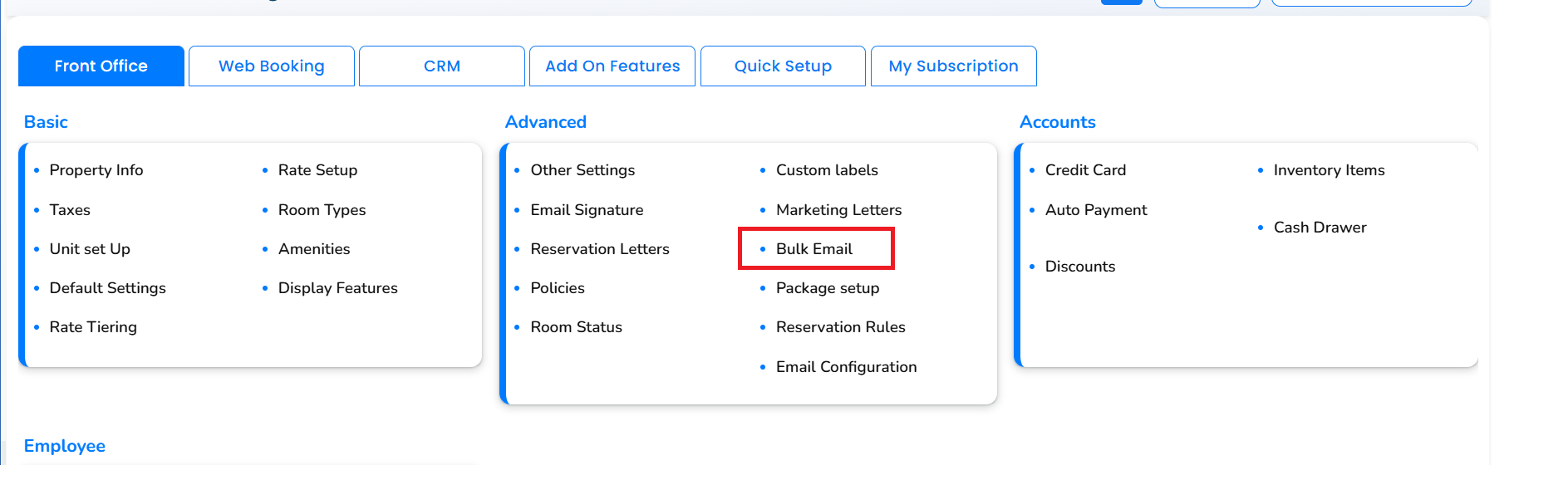
1. Open Bulk Email
Navigate to Setup → Bulk Email.
2. Select the email template
GraceSoft has created an Important Security Alert template under Reservation Letters for your property.
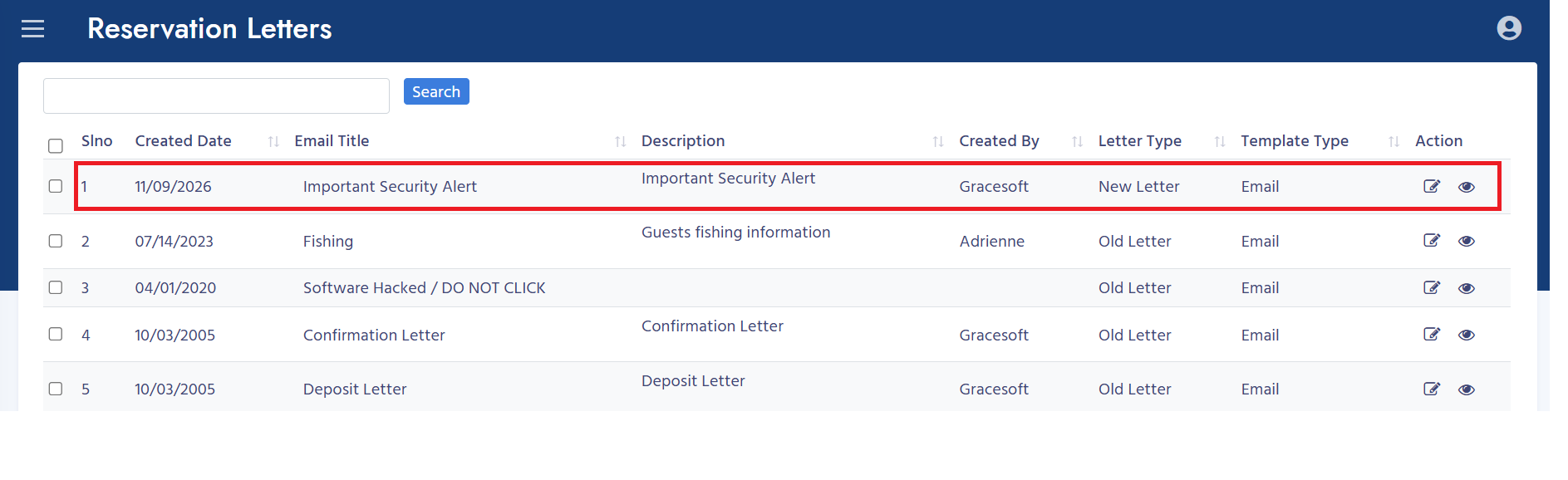
To modify the message, open the template under Setup -> Reservation Letters, update the content, and click Save. Use Preview to review your changes.
3. Set the email subject
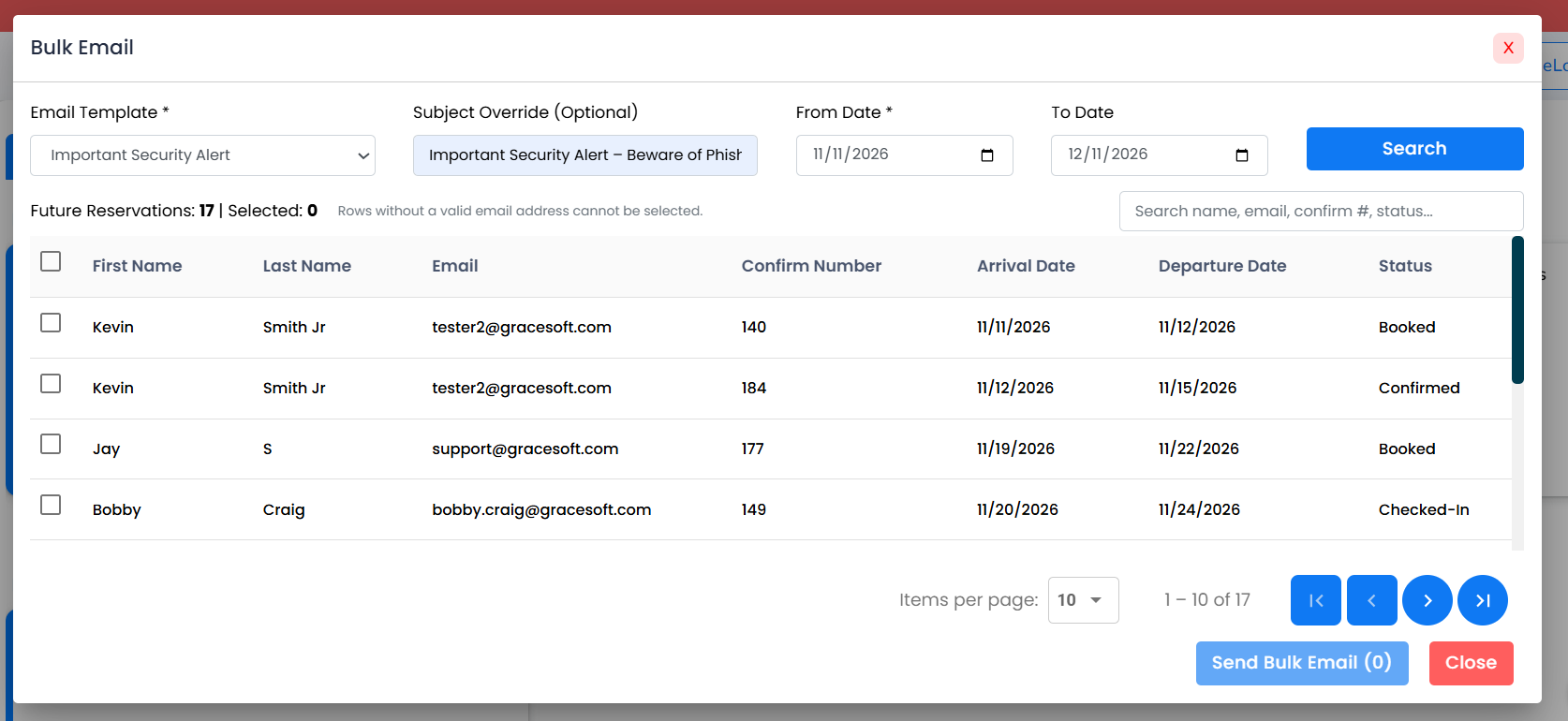
Use Subject Override (Optional) to enter a custom subject. If you leave this field blank, the selected letter’s name will be used as the email subject.
4. Search by arrival date
Enter the From Date and To Date, then click Search. Reservations with arrival dates within the selected range will appear below.
The results include the guest’s name, email address, confirmation number, arrival date, departure date, and reservation status.
5. Select guests
Select the checkbox beside each reservation you want to include, or use the checkbox in the table header to select all eligible rows.
Use the search box to filter by name, email, confirmation number, or status.
Use the page controls to review additional results.
Check the Selected count before sending.
Reservations without a valid email address cannot be selected. Missing email addresses appear as No email.
6. Send the bulk email
Review the template, subject, and selected reservations. Click Send Bulk Email (X), where X is the number of selected reservations.
7. Review the sending results
After processing, a summary appears below the send button with these counts:
| Count | Description |
|---|---|
| Selected | Number of reservations selected for sending. |
| Sent | Number of emails successfully dispatched. |
| Failed | Number of emails that could not be sent. |
| Skipped | Number of selected Guests skipped during processing(Empty Emails). |
For example: Processed 7 selected reservations. Sent: 7, Failed: 0, Skipped: 0.
Was this article helpful?
That’s Great!
Thank you for your feedback
Sorry! We couldn't be helpful
Thank you for your feedback
Feedback sent
We appreciate your effort and will try to fix the article