This hotel management dashboard helps hotel staff quickly check room availability, guest details, reservations, occupancy, revenue, and housekeeping status.

1. Date Selection
Today – Shows the hotel's statistics for the current day.
Tomorrow – Shows the statistics for the next day.
2. Top Summary Cards
1. Today Arrivals
Number of guests expected to check in today. The screen shows 0.
2. Today Departure
Number of guests expected to check out today. The screen shows 0.
3. Total Stayover
Number of guests who are staying tonight and are not checking out today.
4. Total Occupied
Number of rooms currently occupied by guests.
5. Blocked
Number of rooms unavailable for booking due to maintenance or other restrictions.
6. Vacant
Number of rooms that are not occupied. A vacant room may still need cleaning before it can be sold.
3. Occupancy and Guest Summary
Occupancy % of Sellable Rooms – Percentage of rooms available for sale that are occupied.
Occupancy % of Total Rooms – Percentage of all hotel rooms that are occupied, including rooms that may be blocked.
ADR (Reserved Rooms) – Average Daily Rate; the average room revenue per sold room for the selected period, depending on the hotel's calculation rules.
Total Guests – Total number of guests staying at the hotel.
4. Room Status
This chart shows the status of all rooms in the hotel.
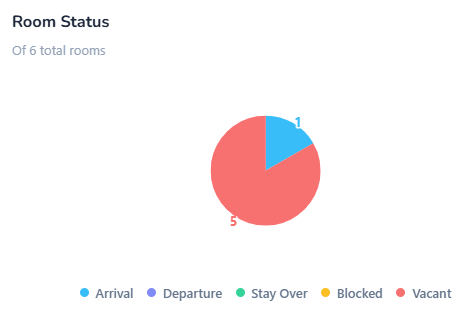
Arrival – Rooms associated with guests arriving today.
Departure – Rooms associated with guests checking out today.
Stay Over – Rooms where guests continue their stay.
Blocked – Rooms unavailable for booking.
Vacant – Rooms currently not occupied.
5. Occupancy Status
This chart shows the proportion of the hotel's bookable rooms.
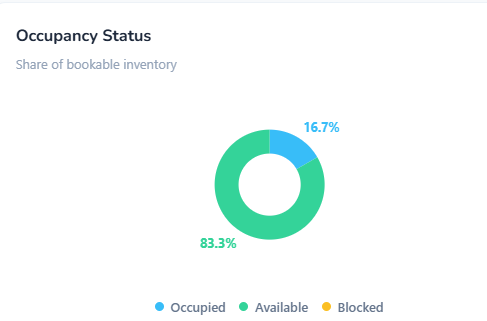
Occupied – Rooms currently being used by guests.
Available – Rooms available for booking.
- Blocked – Rooms not available for booking.
6. Housekeeping
This section displays the cleanliness or housekeeping status of the rooms.
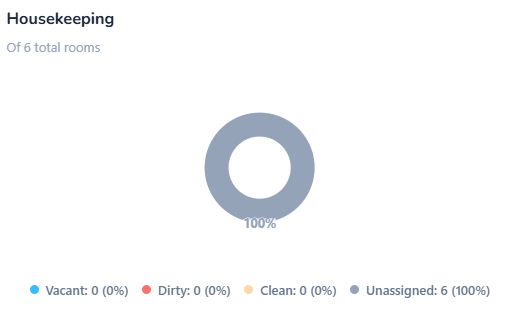
Vacant – Unoccupied rooms.
Dirty – Rooms that need cleaning.
Clean – Rooms cleaned and ready for inspection or use.
Unassigned – Rooms without an assigned housekeeping status.
7. Guest Mix
This chart shows the composition of hotel guests.
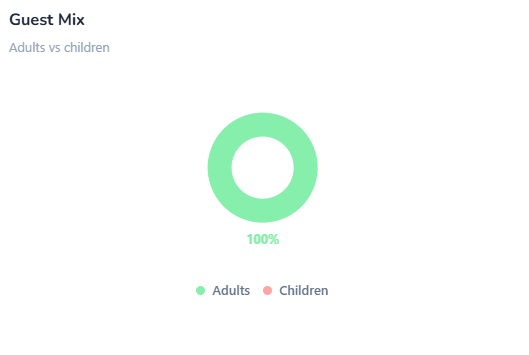
Adults – Number or percentage of adult guests.
Children – Number or percentage of child guests.
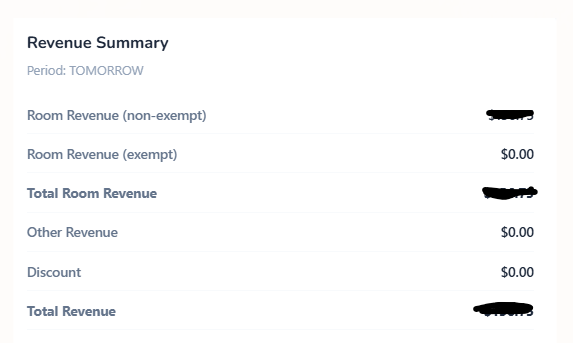
This section displays the hotel's financial performance for the selected period, which is Today.
Heading | Meaning |
|---|---|
Room Revenue (non-exempt) | Room income subject to applicable taxes or charges. |
Room Revenue (exempt) | Room income exempt from applicable taxes or charges. |
Total Room Revenue | Total income earned from room sales. |
Other Revenue | Income from food, laundry, extra services, or other hotel facilities. |
Discount | Amount deducted from the original charges. |
Total Revenue | Overall revenue after applying the system's discount and revenue calculation rules. |
9. Guest & Activity Metrics
This section summarizes guest numbers and hotel activity.
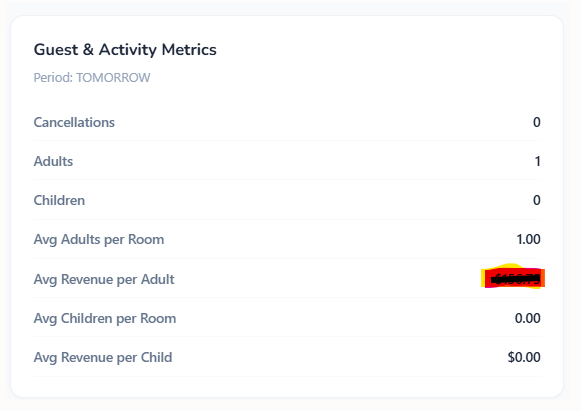
Cancellations – Number of reservations cancelled during the selected period.
Adults – Total adult guests recorded.
Children – Total child guests recorded.
Avg Adults per Room – Average number of adults per room.
Avg Revenue per Adult – Average revenue attributed to each adult guest.
Avg Children per Room – Average number of children per room.
Avg Revenue per Child – Average revenue attributed to each child guest.
10. Reservation Activity
This section lists individual reservations according to their current activity or status.
Arrival – View reservations for guests arriving.
Departure – View reservations for guests checking out.
Stayover – View guests continuing their stay.
Checked In – View guests who have completed check-in.

RES. NO | Unique reservation number used to identify a booking. |
ARRIVAL | Guest check-in date. |
DEPARTURE | Guest check-out date. |
GUEST NAME | Name of the person who made the reservation or is staying. |
ROOM NAME | Assigned room number or room name. |
NO. OF GUEST | Number of people included in the reservation. |
AMOUNT PAID | Money already received from the guest. |
AMOUNT DUE | Remaining balance the guest needs to pay. |
ROOM STATUS | Current status of the room, such as occupied, vacant, or blocked. |
REFERRAL | Source through which the guest found or booked the hotel, such as a website, travel agent, or direct booking. |
Was this article helpful?
That’s Great!
Thank you for your feedback
Sorry! We couldn't be helpful
Thank you for your feedback
Feedback sent
We appreciate your effort and will try to fix the article