The Hotel Statistics Report provides Month-to-Date (MTD) and Year-to-Date (YTD) performance statistics for your property.
Access the Report
Log in to Easy InnKeeping.
Select the required property.
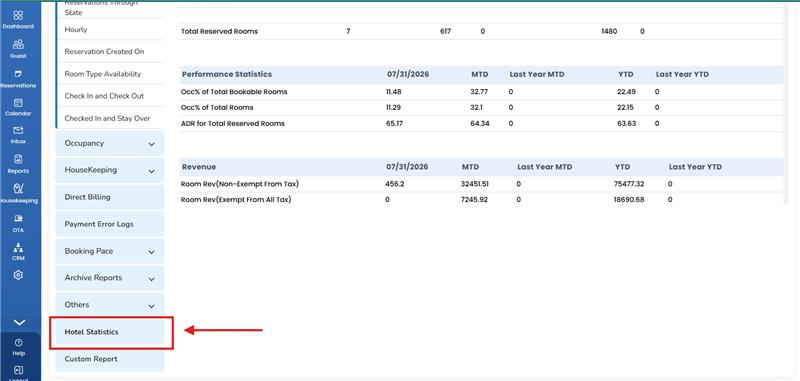
Navigate to Reports → Hotel Statistics.
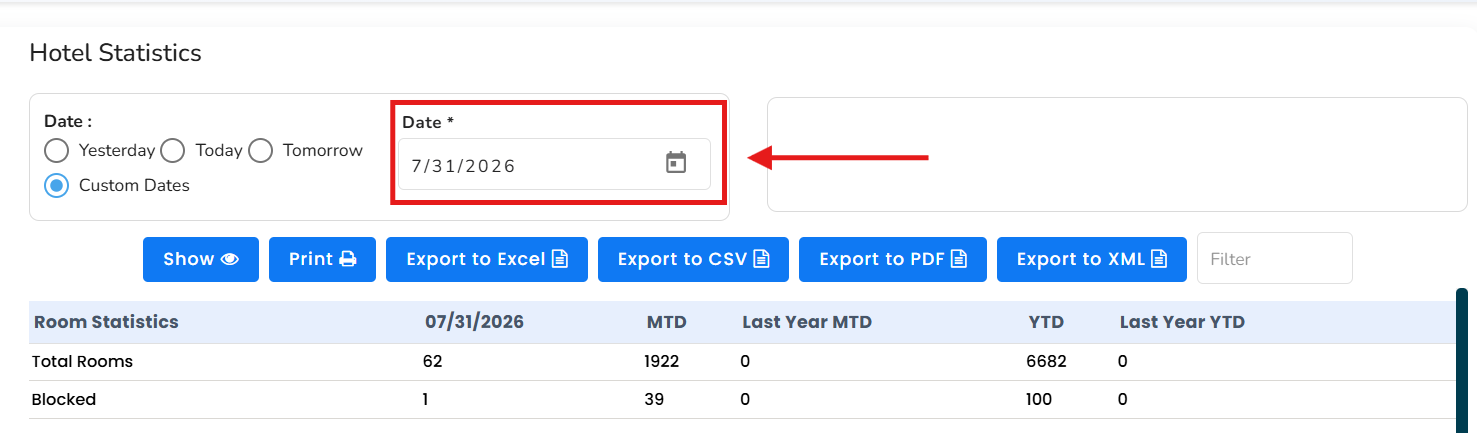
Use the Month and Date filters to generate the required MTD and YTD statistics.
Configure the Financial Year Start Date
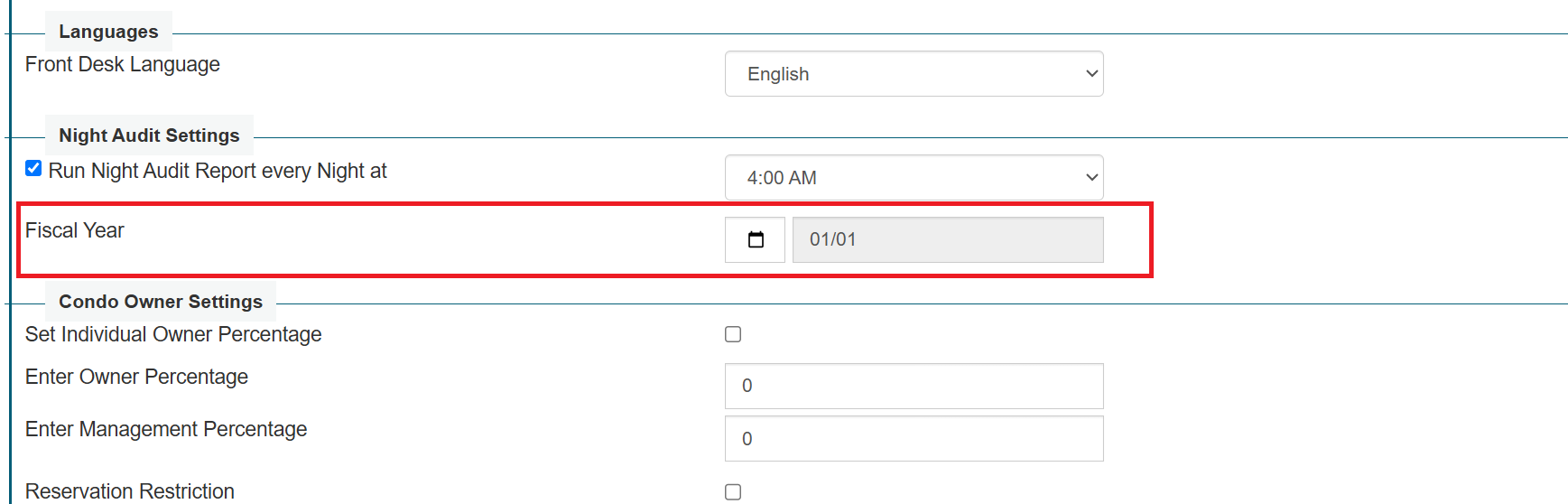
The system uses the configured Financial Year Start Date when calculating Year-to-Date statistics.
By default, the financial year begins on January 1. If your organization follows a different financial year, update the setting before generating the report.
Navigate to Setup → Default Settings.
Locate the Financial Year Start Date setting.
Select the appropriate start date.
Save the changes.
Return to Reports → Hotel Statistics and generate the report.
Generate Reports for Multiple Properties
The Hotel Statistics Report is available for all your properties. To generate a report for another property:
Select the required property.
Navigate to Reports → Hotel Statistics.
Apply the required Month and Date filters.
Generate the report.
Provide Access to Your Accounting Team
You may create separate user access for members of your accounting team. This allows authorized users to log in and retrieve the Hotel Statistics Report independently.
Please ensure that each user is provided access only to the appropriate properties and reports.
Was this article helpful?
That’s Great!
Thank you for your feedback
Sorry! We couldn't be helpful
Thank you for your feedback
Feedback sent
We appreciate your effort and will try to fix the article