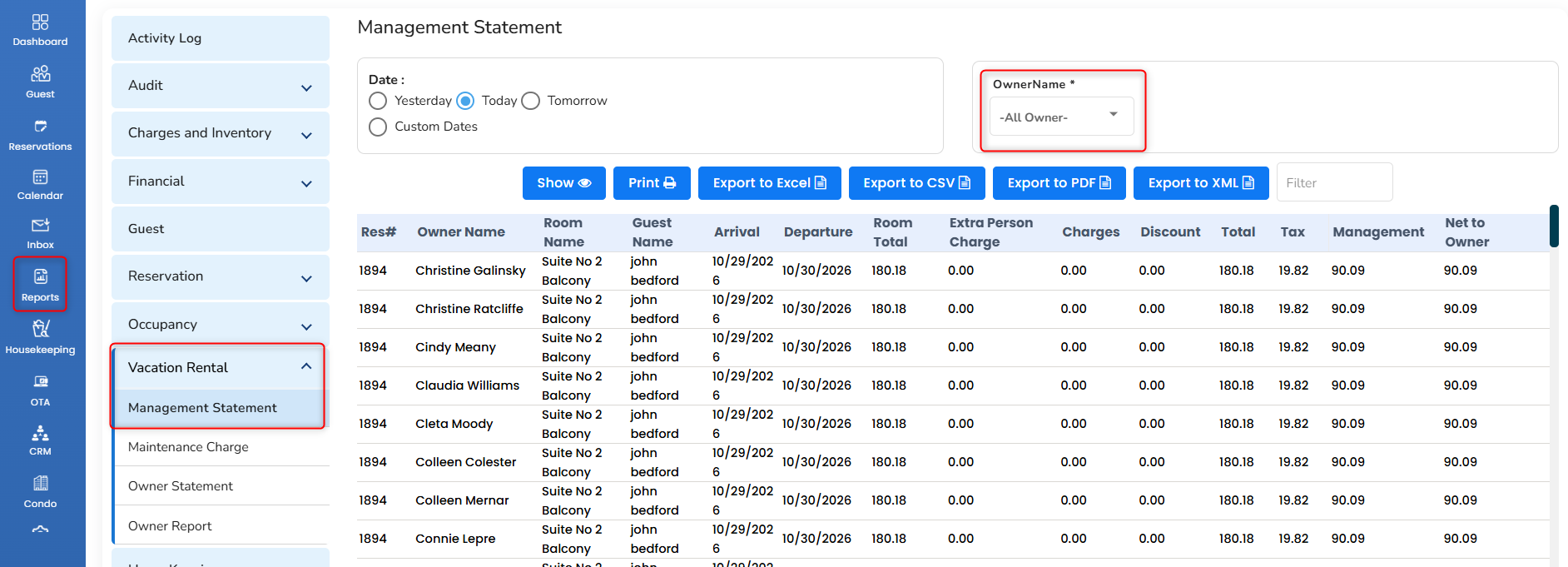
Management Statement
It shows the reservations that are created in the owner’s unit for the given period. The “Revenue” column displays the revenue that is shared with Management for each reservation. A particular owner’s reservations can be filtered using the “OwnerName” dropdown.
- To access it, in the left pane, click on the Report icon.
- Choose Vacation Rental and then Management Statement.
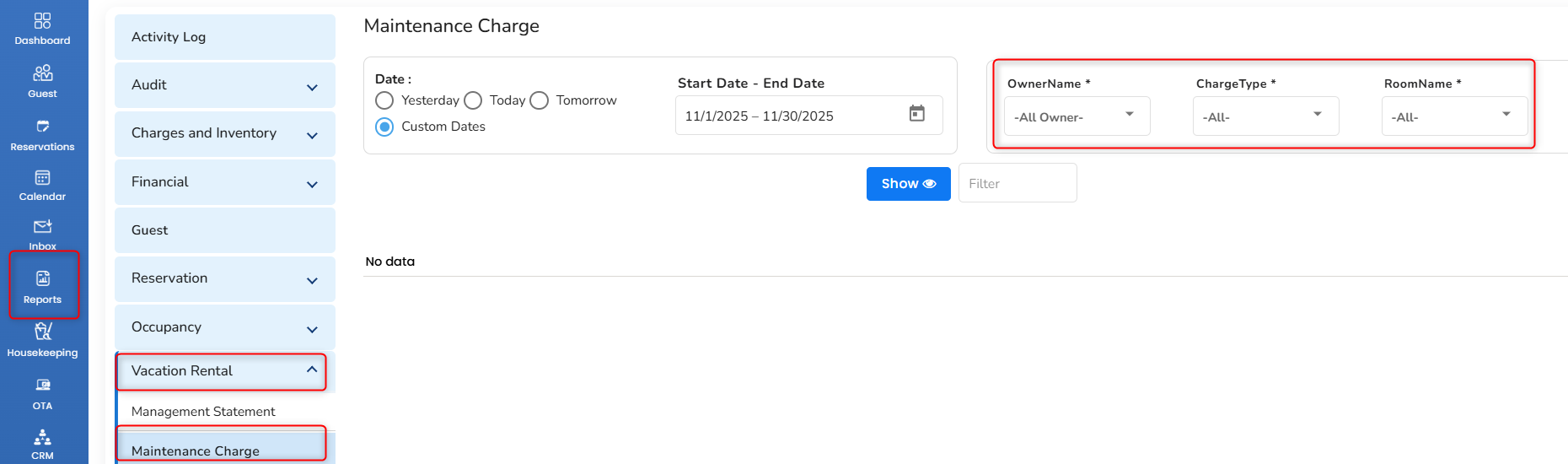
Maintenance Charge
The charges for the owner rooms added in the “Maintenance Charge” will be shown. To access the maintenance charge adding page, in the left pane, choose Condo and then choose maintenance charge at the top right corner. Charge added for a particular owner or room can be viewed using the filtering option.
- To access it, in the left pane, click on the Report icon.
- Choose Vacation Rental and then Maintenance Charge.
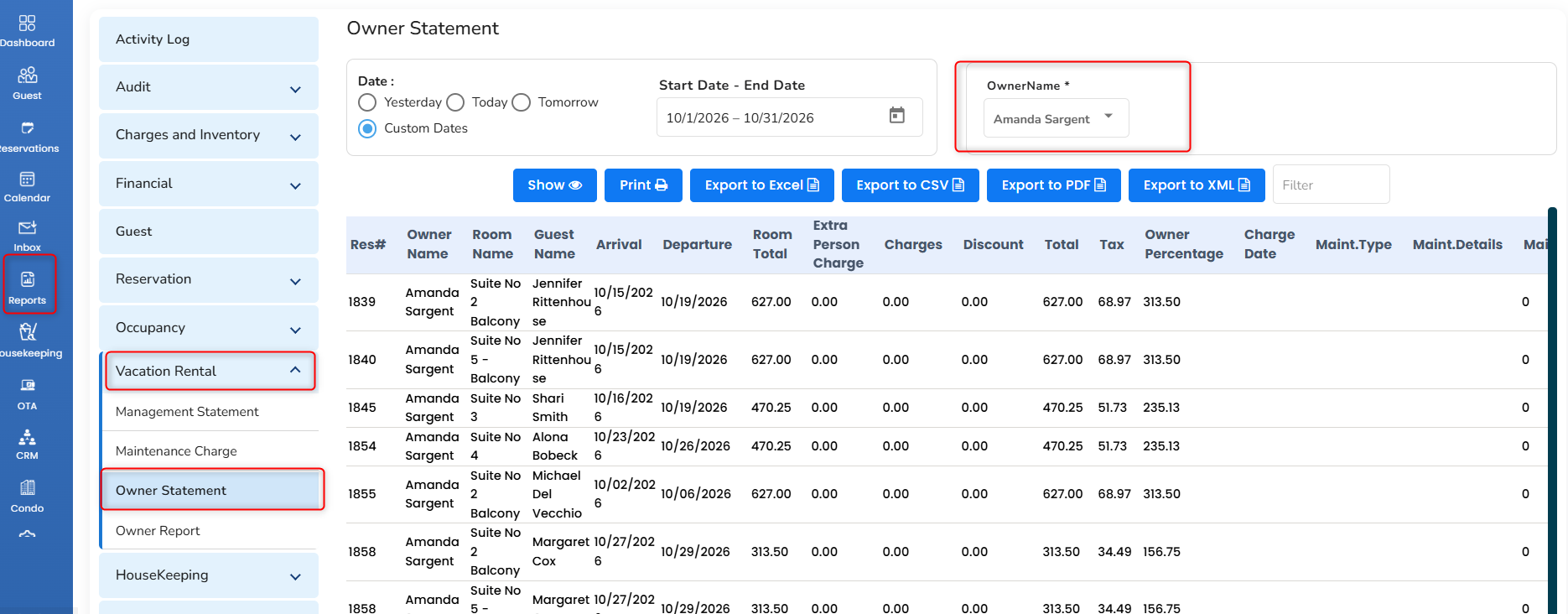
Owner Statement
The reservation that is made for the owner’s rooms will be shown along with the maintenance charge. It shows the revenue share from the reservation to the owner under the “Revenue” column. The report can be generated for the entire owner or a particular owner using the “OwnerName” dropdown.
- To access it, in the left pane, click on the Report icon.
- Choose Vacation Rental and then Owner Statement.
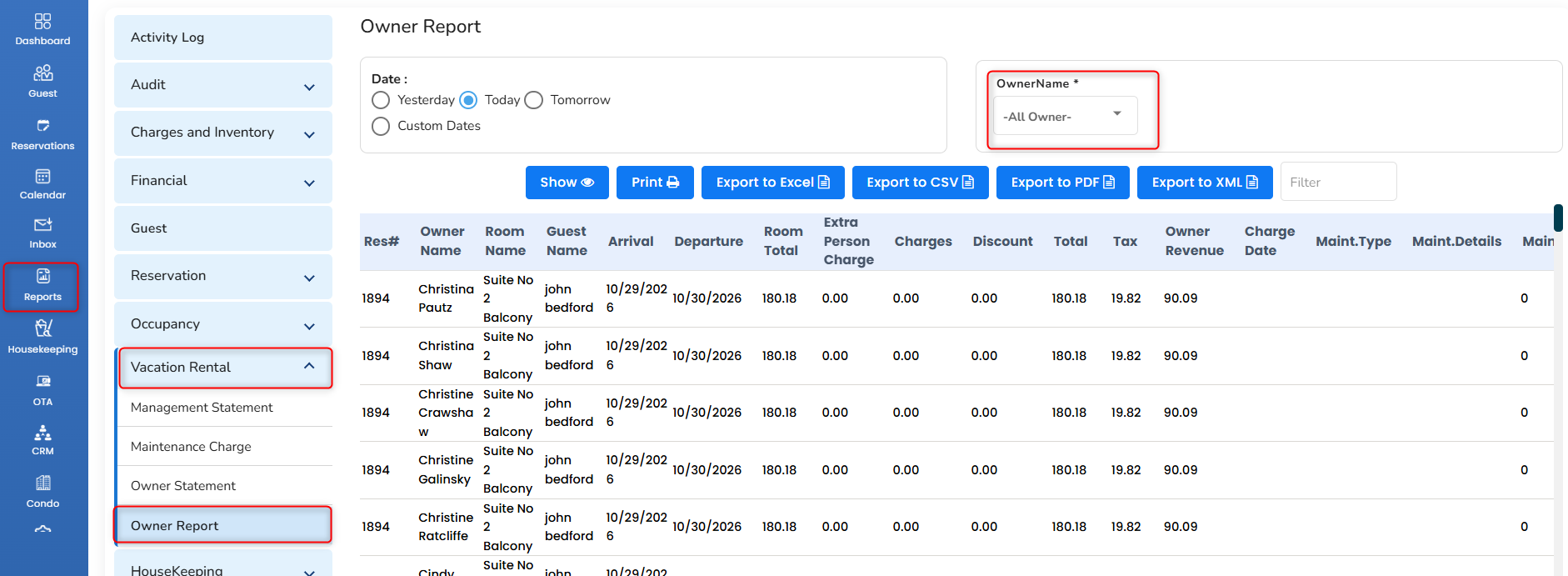
Owner Report
An Owner Report in a Hotel Property Management System (PMS) is a report that provides property owners with an overview of the property's financial performance, revenue, expenses, and business operations for a selected period.
It helps owners understand how their property is performing and how much income it generates.
What does an Owner Report show?
Total Revenue: Total income generated from room bookings and other applicable services.
Room Revenue: Income earned from room reservations.
Taxes Collected: Taxes collected from guests, if included.
Expenses: Property expenses, if tracked in the PMS.
Payments Received: Payments collected through cash, cards, or other payment methods.
Deposits: Guest deposits or advance payments, depending on the report.
Owner Payout / Net Income: Owner earnings or settlement amount, if supported and configured.
Was this article helpful?
That’s Great!
Thank you for your feedback
Sorry! We couldn't be helpful
Thank you for your feedback
Feedback sent
We appreciate your effort and will try to fix the article