Thank you for choosing GraceSoft Easy InnKeeping! Your honest feedback helps us improve our product and support services, and it helps other hoteliers make informed decisions.
Overview
This guide explains how to submit a review for GraceSoft Easy InnKeeping on your preferred review platform.
Platform | Review link | What to expect |
|---|---|---|
Hotel Tech Report | GraceSoft Easy Innkeeping Reviews: Pricing & Software Features - 2026 - Hotel Tech Report | Open the product page, select Write a Review, complete the form, and submit. |
Capterra | GraceSoft Easy InnKeeping Reviews 2026. Verified Reviews, Pros & Cons | Capterra | Open the review page, choose the review option, complete the form, and submit. |
G2 | Sign in or create an account if required, complete the form, and submit. |
Please follow the instructions for the platform you prefer. You do not need to review GraceSoft Easy InnKeeping on every platform.
1. Hotel Tech Report
Review link: GraceSoft Easy Innkeeping Reviews: Pricing & Software Features - 2026 - Hotel Tech Report
Open the review page. Visit the GraceSoft Easy InnKeeping page on Hotel Tech Report.
Click “Write a Review.” Locate and select the Write a Review button to begin the review process.
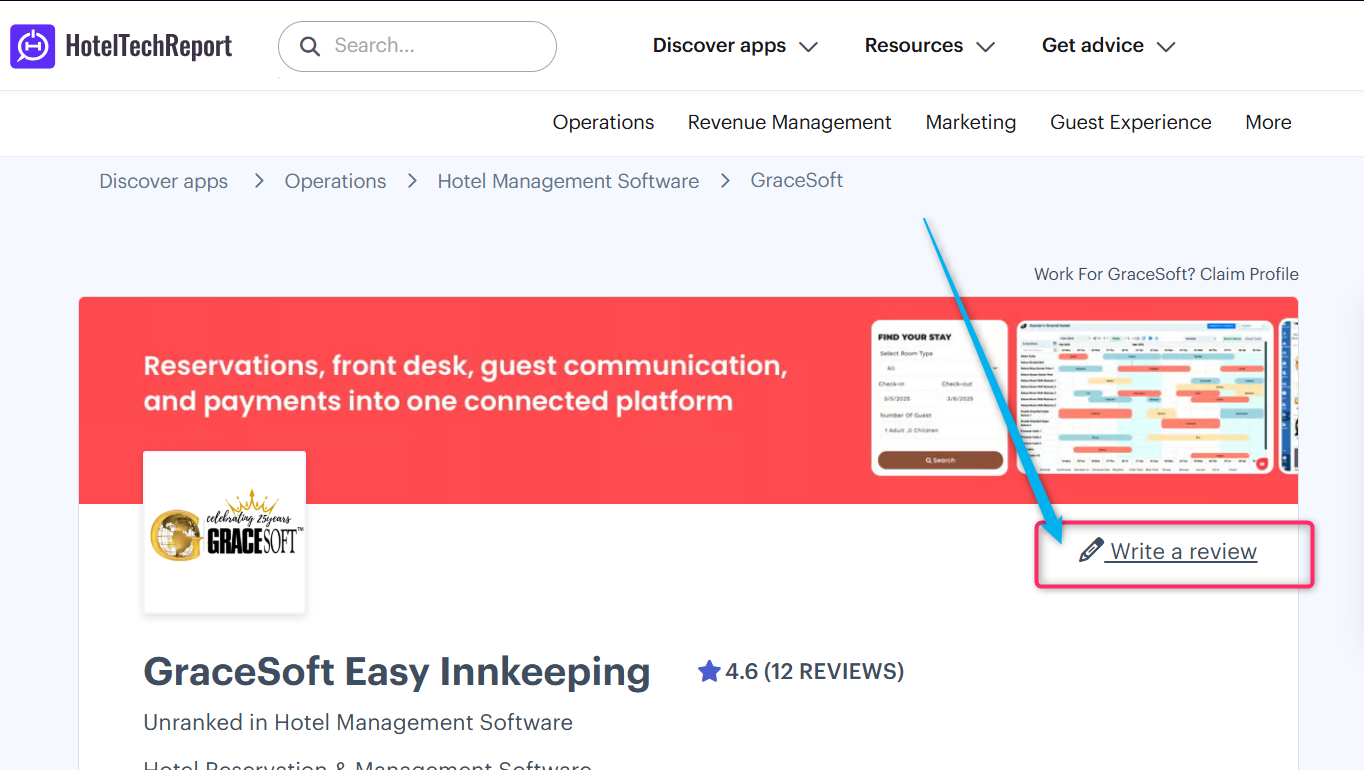
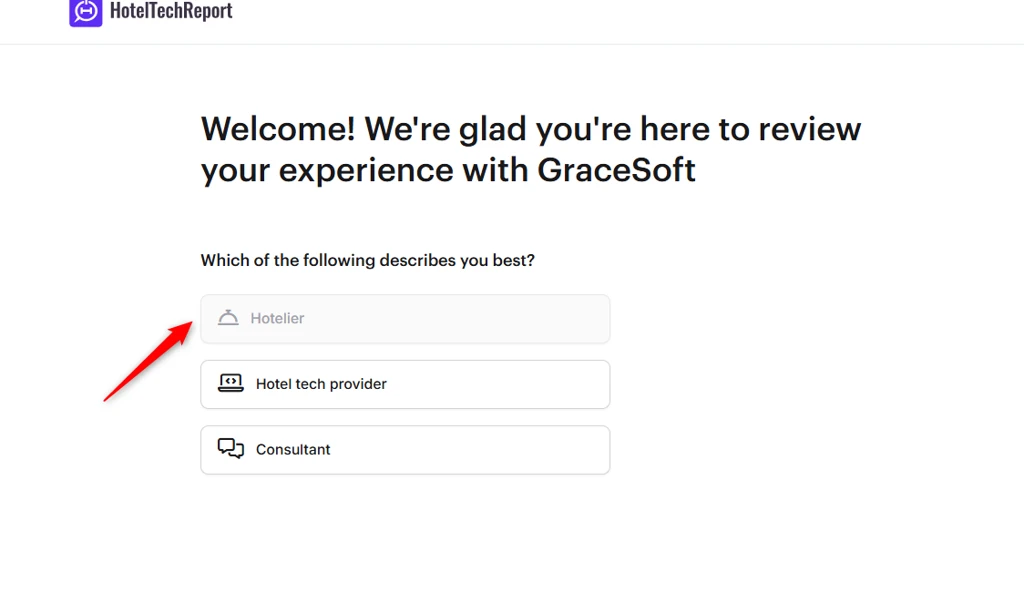
Complete the review form. Enter the requested information, rate your experience, and answer the questions about using GraceSoft Easy InnKeeping.
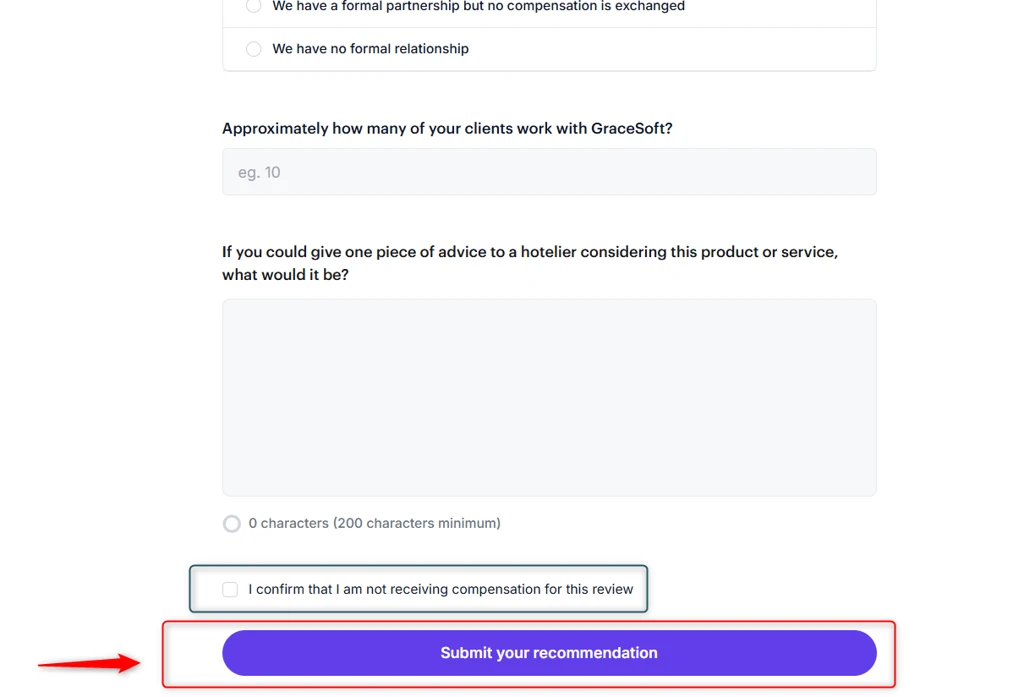
Submit your review. Review your answers and follow the on-screen instructions. Complete any additional verification steps if requested.
____________________________________________________________________________________________________________
2. Capterra
Review link: GraceSoft Easy InnKeeping Reviews 2026. Verified Reviews, Pros & Cons | Capterra
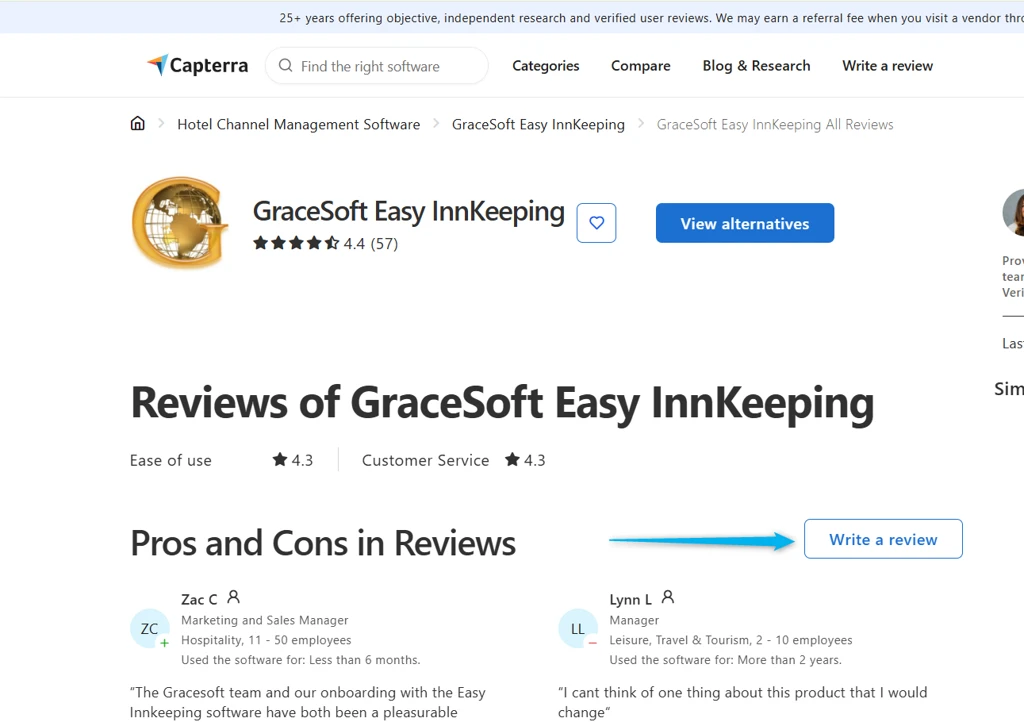
Open the review page. Visit the GraceSoft Easy InnKeeping page on Capterra.
Choose the review option. Locate the option to write or submit a review and select it.
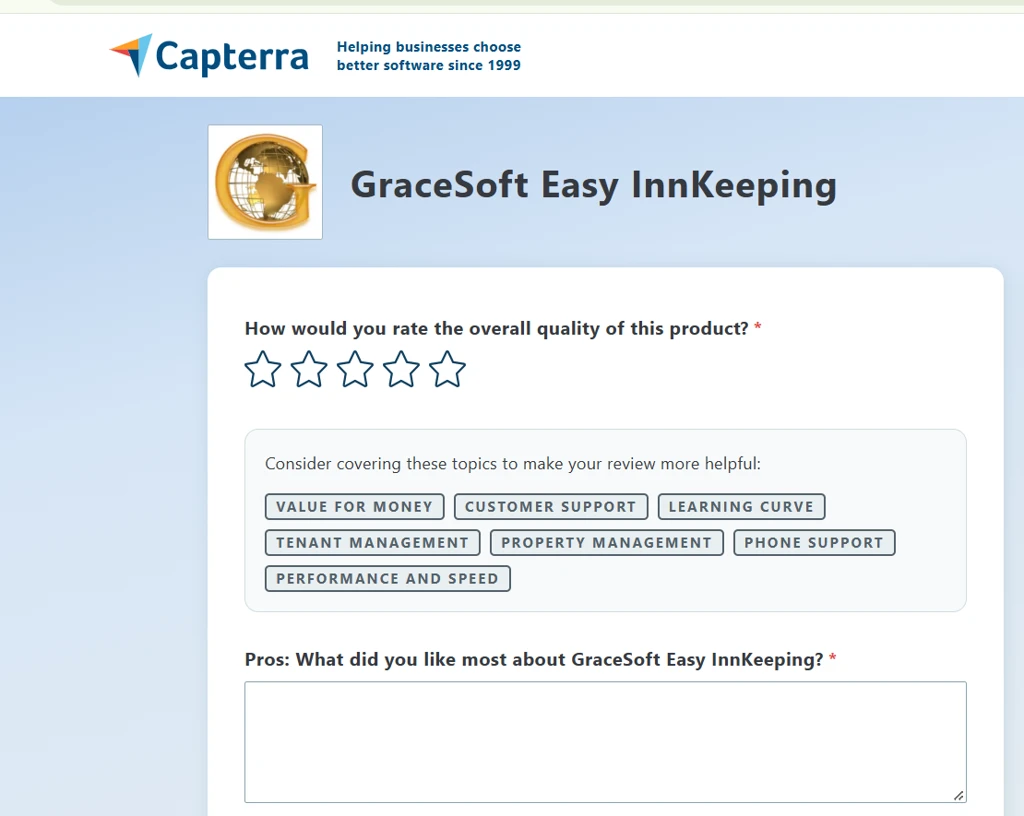
Complete the review form. Enter the requested details, rate your experience, and answer the questions about your use of the software.
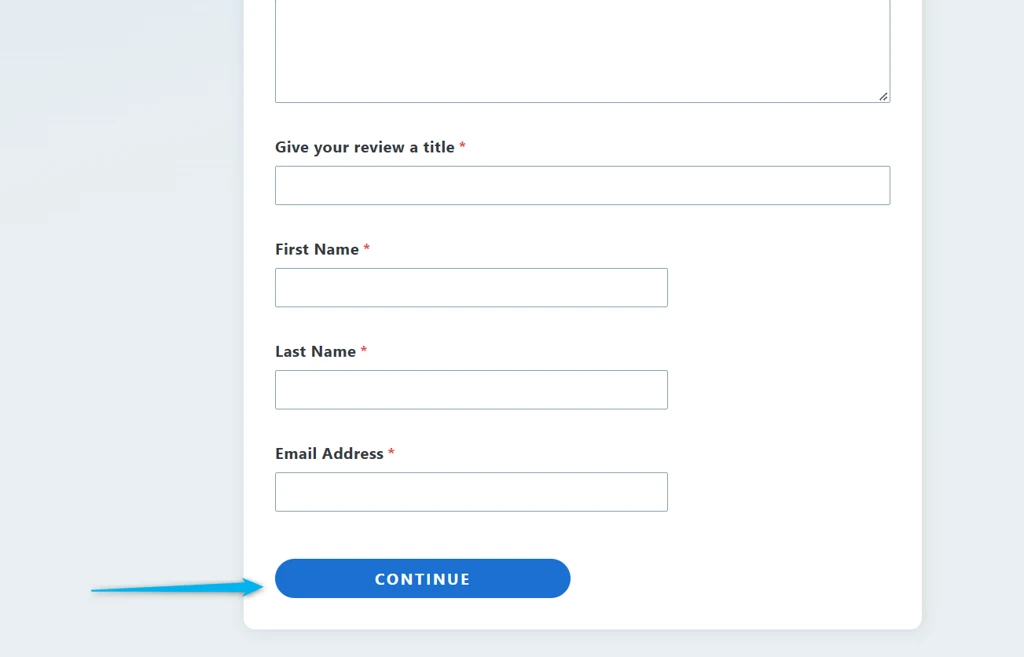
Submit your review. Review your responses and follow the on-screen instructions. Capterra may request additional information or verification before accepting your submission.
____________________________________________________________________________________________________________
3. G2
Review link: The G2 on Easy InnKeeping
Open the review page. Visit the GraceSoft Easy InnKeeping page on G2.
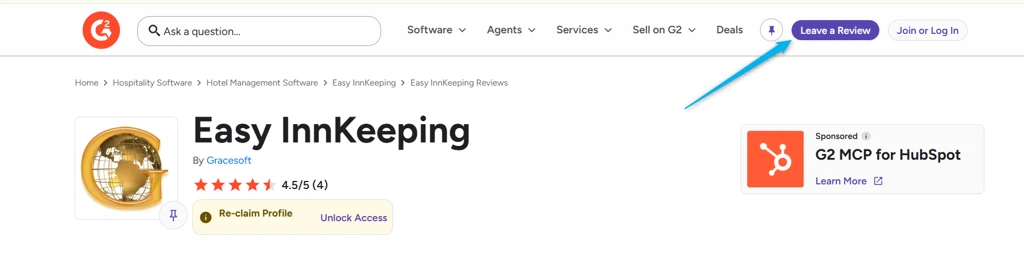
Find the review option. Locate the option to write or submit a review.
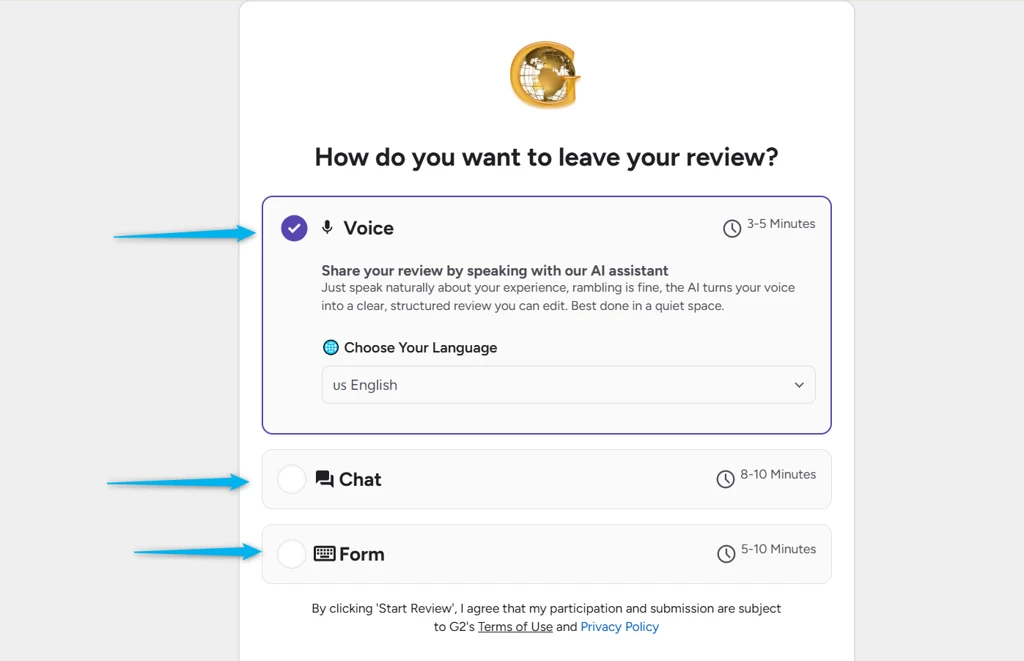
Sign in and complete the review form. Sign in to your G2 account or create one if required. Enter the requested details, rate your experience, and answer the questions about GraceSoft Easy InnKeeping.
Submit your review. Check your responses and follow the on-screen instructions. Complete any additional verification steps requested by G2.
___________________________________________________________________________
Tips for Writing a Helpful Review
To help other hoteliers understand your experience, consider sharing honest feedback about:
Ease of use: How easy GraceSoft Easy InnKeeping is to use for your daily operations.
Features: Which features are most useful for managing your property.
Customer support: Your experience with the GraceSoft support team.
Onboarding and training: Your experience getting started with the software.
Overall experience: How GraceSoft Easy InnKeeping has supported your property’s operations.
Please share your genuine experience and opinions. There is no need to include details that do not apply to your experience.
Frequently Asked Questions
1. Do I need to review GraceSoft Easy Innkeeping on all three platforms?
No. You can choose the platform you prefer. You are not required to submit reviews on all three platforms.
2. What if I cannot find the "Write a Review" Button?
Review options and page layouts may change. Follow the available instructions on the platform, or contact the respective platform’s support team if you need assistance.
3. What if I cannot submit my review?
Check that all required fields are completed and follow any verification instructions displayed on the page. If the issue continues, contact the review platform’s support team.
4. Can I share both positive and negative feedback?
Yes. We welcome honest feedback about your experience, including suggestions for improvement.
Need Assistance?
If you have any questions about this guide or need help locating the correct GraceSoft Easy InnKeeping review page, please contact the GraceSoft team. We will be happy to assist you.
Thank you for your time, trust, and support. Your feedback is valuable to us and helps us continue improving GraceSoft Easy InnKeeping for hoteliers.
The GraceSoft Easy InnKeeping Team
Was this article helpful?
That’s Great!
Thank you for your feedback
Sorry! We couldn't be helpful
Thank you for your feedback
Feedback sent
We appreciate your effort and will try to fix the article