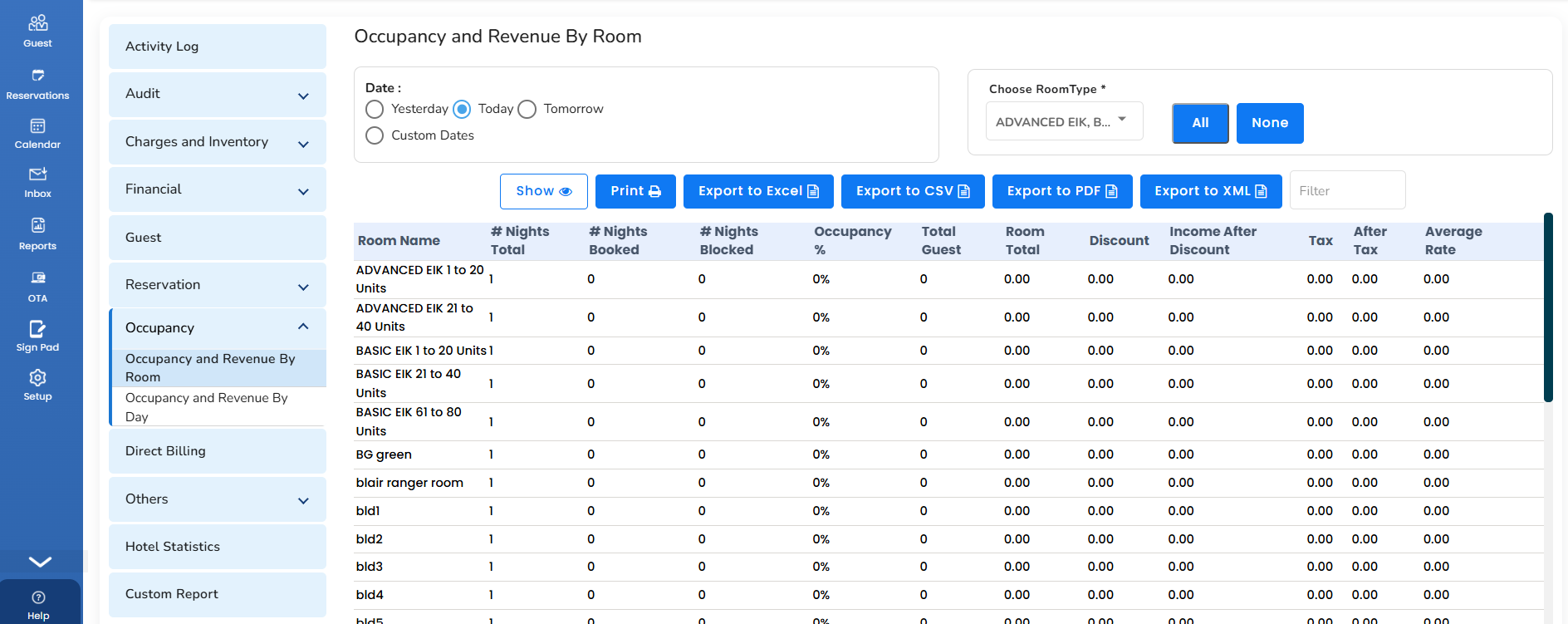
Occupancy and Revenue by Room
It shows the occupancy and revenue of each room on a day. You can filter this report by selecting a room from the dropdown.
- To access it, in the left pane, click on the Report icon.
- Choose Occupancy and then Occupancy and Revenue by Room.
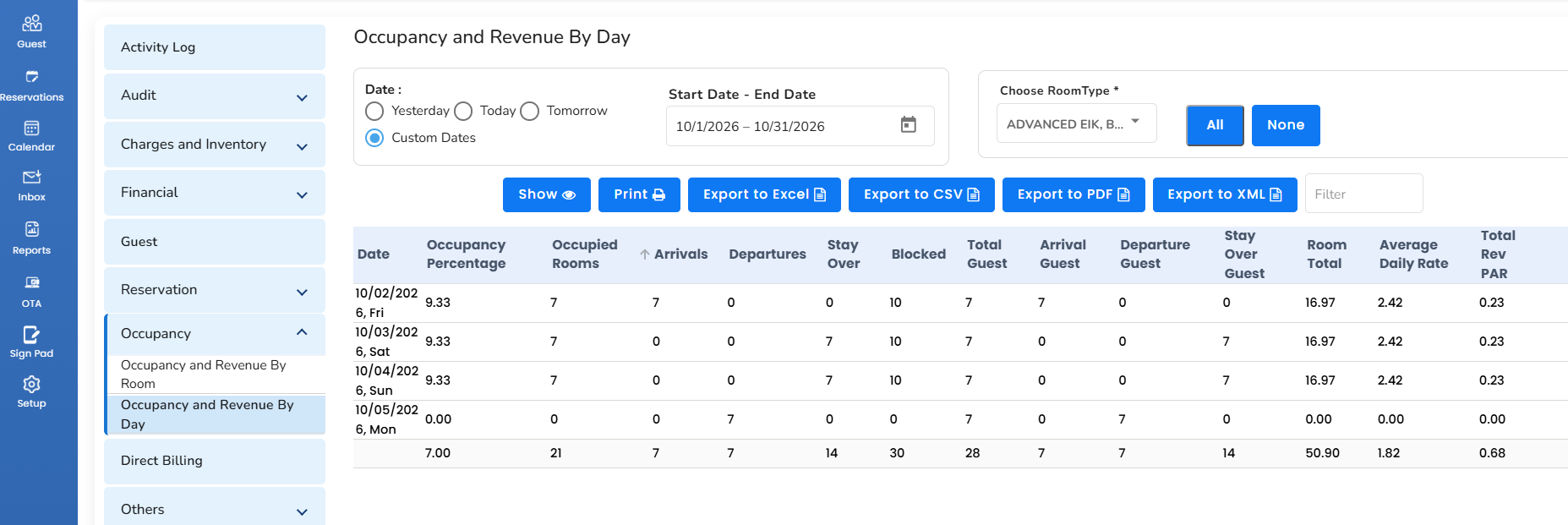
Occupancy and Revenue by Day
It shows the daily occupancy and revenue for a given date period.
- To access it, in the left pane, click on the Report icon.
- Choose Occupancy and then Occupancy and Revenue by Day.
Was this article helpful?
That’s Great!
Thank you for your feedback
Sorry! We couldn't be helpful
Thank you for your feedback
Feedback sent
We appreciate your effort and will try to fix the article