Before you perform the Night Audit, it is important to complete the following checks to ensure all reservations, payments, and balances for the day are accurate.
1. Check-In and Check-Out Report
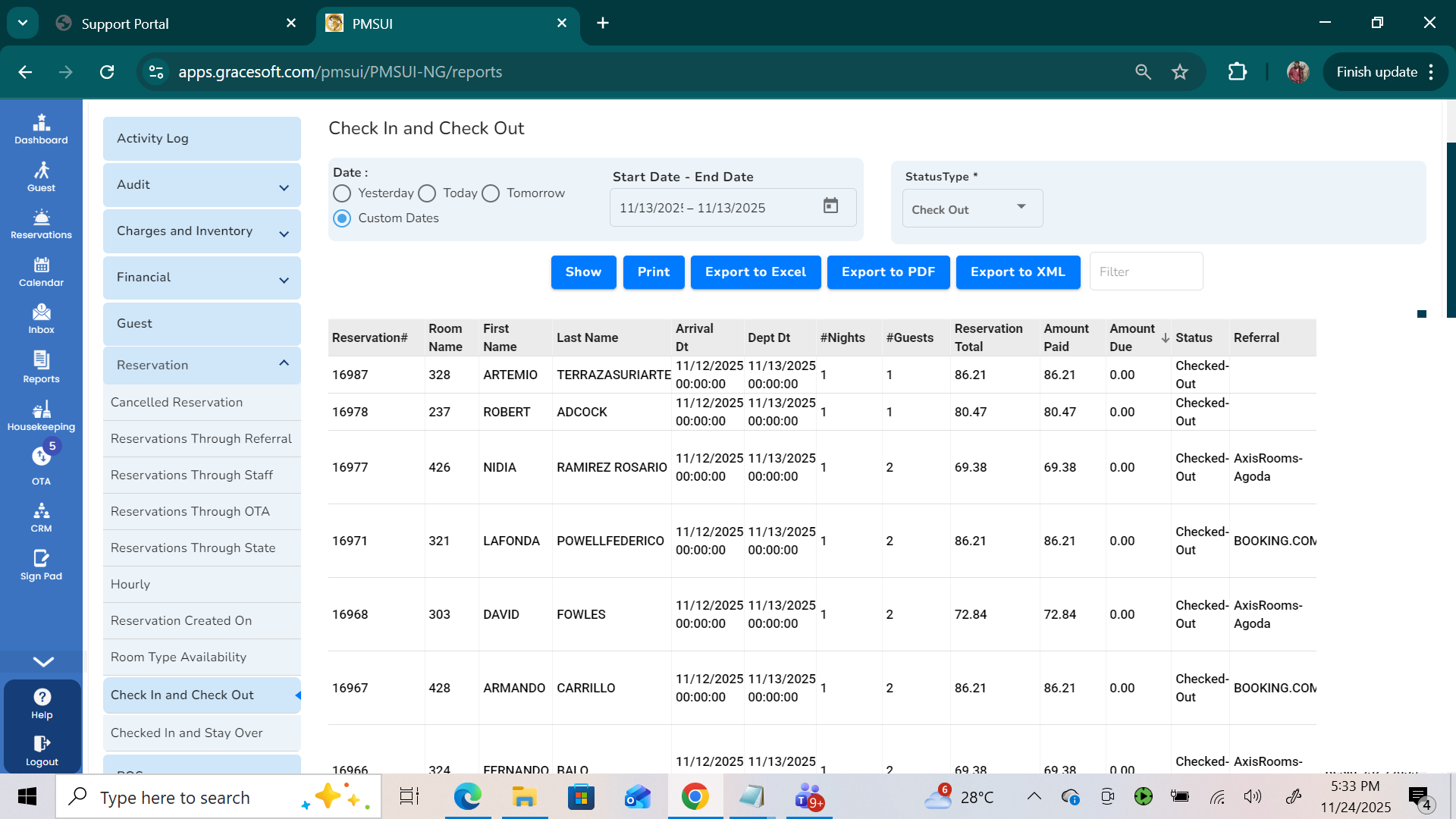
Run the Check-In/Check-Out report for the audit date. This helps verify if any checked-out bookings still have pending payments.
Steps
Go to Reports → Reservations -> Check-In / Check-Out and select the custom date.
Review all checked-out bookings.
Click on the Amount Due report for these bookings.
What to verify
Amount Due = 0: Everything is correct.
Amount Due > 0: Guest still owes payment (pending payment).
Amount Due < 0: Guest has overpaid.
If there is a pending or extra amount
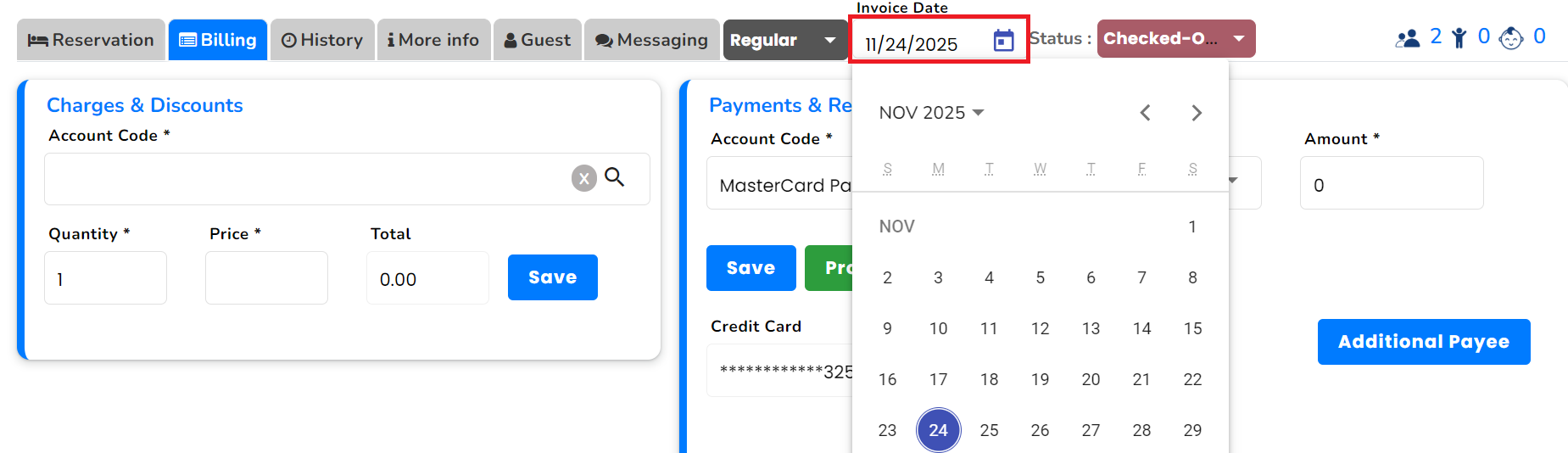
Open the booking.
Go to Billing → choose, Invoice Date.
Add the required payment or process a refund.
Ensure the final amount due becomes 0.
2. Check “Yet to Arrive” / No-Show Reservations
Make sure there are no open arrivals that were missed to check in.
Steps
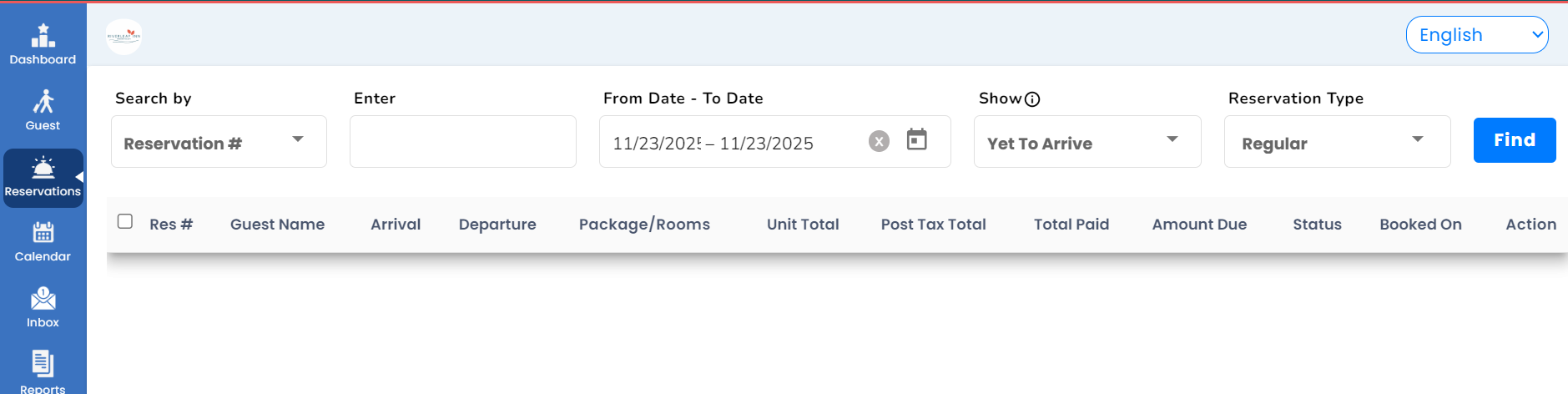
Go to the Reservation List.
Select the date of the audit.
Choose Show: Yet to Arrive and click Find.
What to verify
The Yet to Arrive list should be empty.
If there are bookings listed:
These are likely No-Show bookings.
Update their status or take necessary action (e.g., mark as cancel, or adjust charges).
3. Run the Night Audit
Once the above checks are clear:
Steps
Navigate to Night Audit.
Click Run Night Audit.
4. Validate Opening & Closing Balance
After the audit runs:
Steps
Open the Night Audit Summary.
Verify:
Opening Balance
Closing Balance
Ensure both balances match your physical cash and system records.
Was this article helpful?
That’s Great!
Thank you for your feedback
Sorry! We couldn't be helpful
Thank you for your feedback
Feedback sent
We appreciate your effort and will try to fix the article