Overview
GraceSoft supports Tripadvisor integration using the Cost-Per-Click model, which helps drive direct bookings to your property.
To get started, the Tripadvisor connection must first be enabled for your subscription.
Action Required:
Contact the GraceSoft Sales or Support team to activate Tripadvisor connectivity for your account.
Prerequisites
Before proceeding, ensure:
- Your Tripadvisor account is active
- Your property is listed on Tripadvisor
- GraceSoft has enabled Tripadvisor integration for your subscription
Step-by-Step Setup
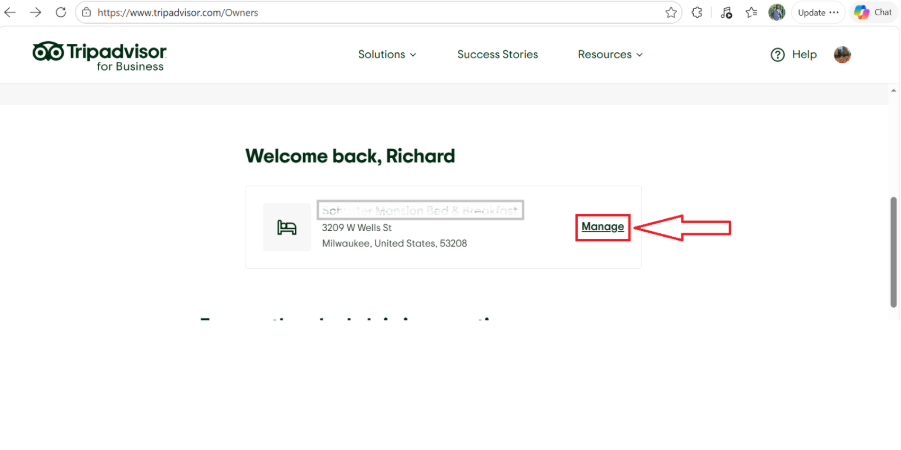
1. Login to TripAdvisor
- Go to your Tripadvisor account
- Navigate to https://www.tripadvisor.com/owners
2. Select Your Property
- Scroll down and choose your property listing
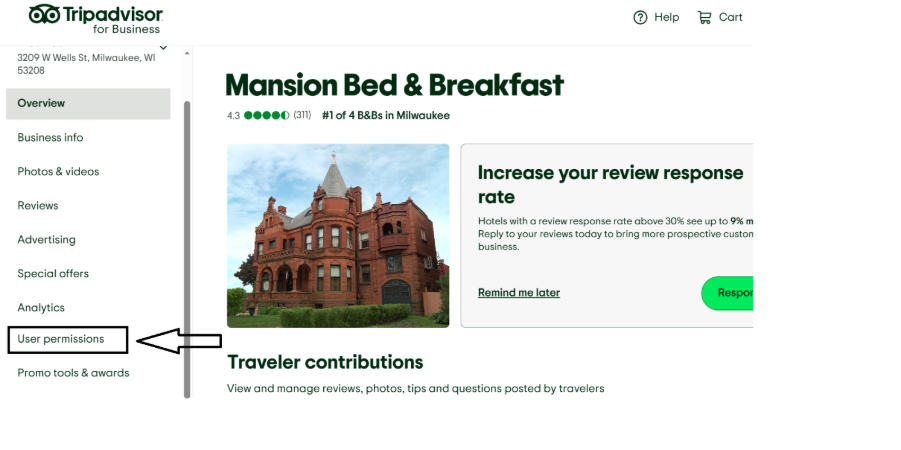
3. Access User Permissions
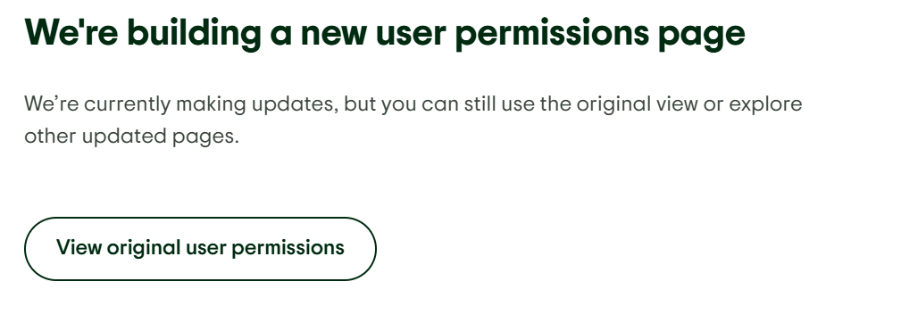
- Click on User Permissions from the navigation menu
- Select “View original user permissions”
(This redirects you to the classic Management Center layout)
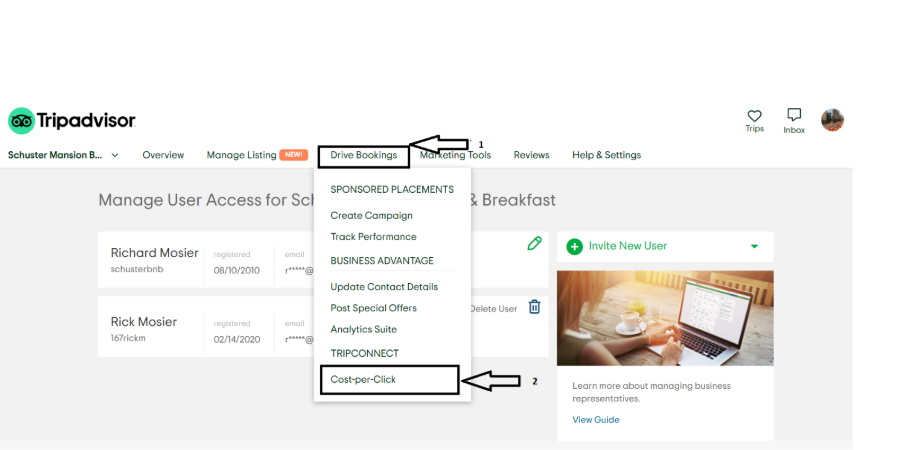
4. Enable TripConnect (CPC Model)
- Hover over Drive Bookings in the top menu
- Under TripConnect, select:
- Cost-per-Click (CPC)
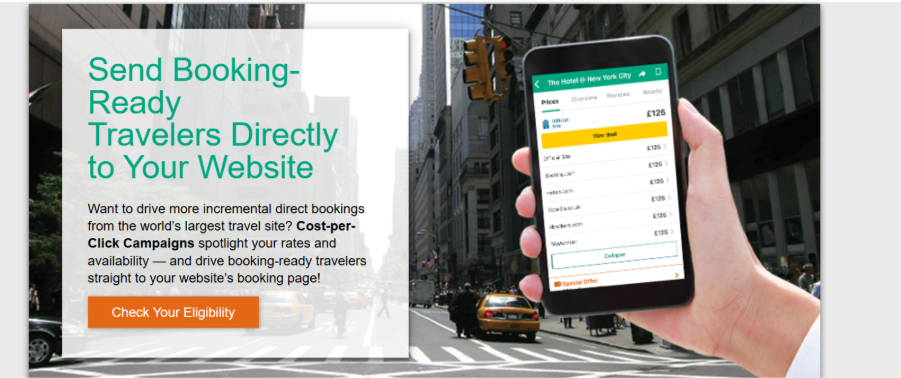
5. Check Eligibility
- Click on “Check your Eligibility”
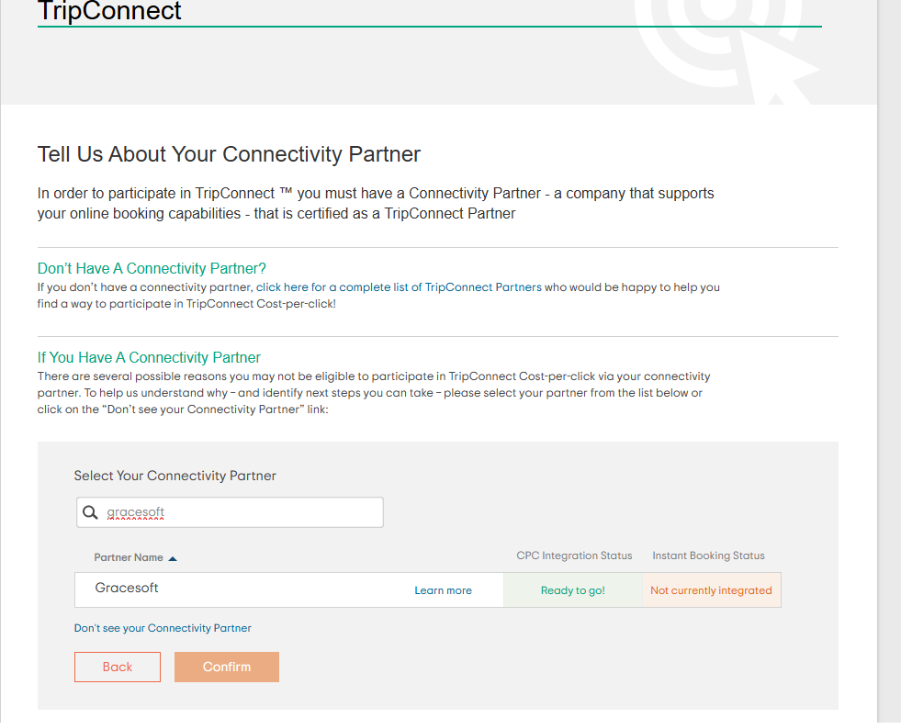
6. Choose Connectivity Partner
- Select GraceSoft as your connectivity partner
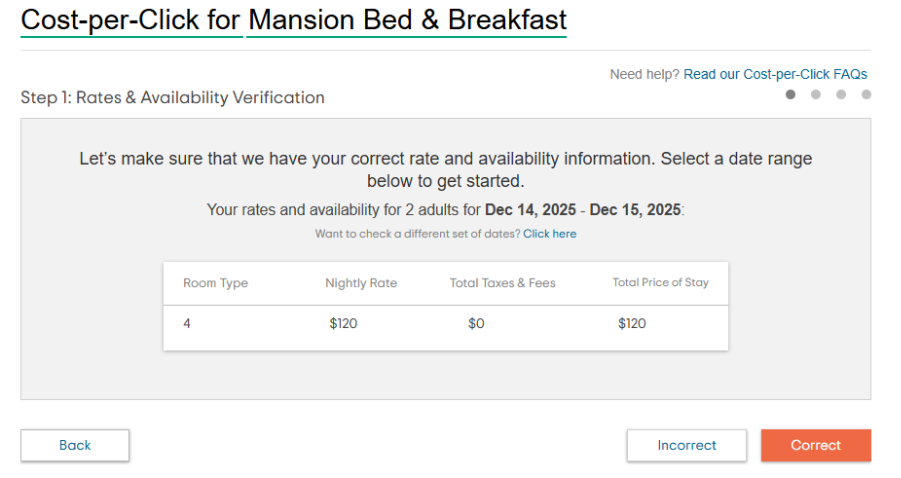
7. Verify Room Data
- Tripadvisor will automatically fetch available room data from EasyInnKeeping
- Review the information carefully
- Click Correct to confirm
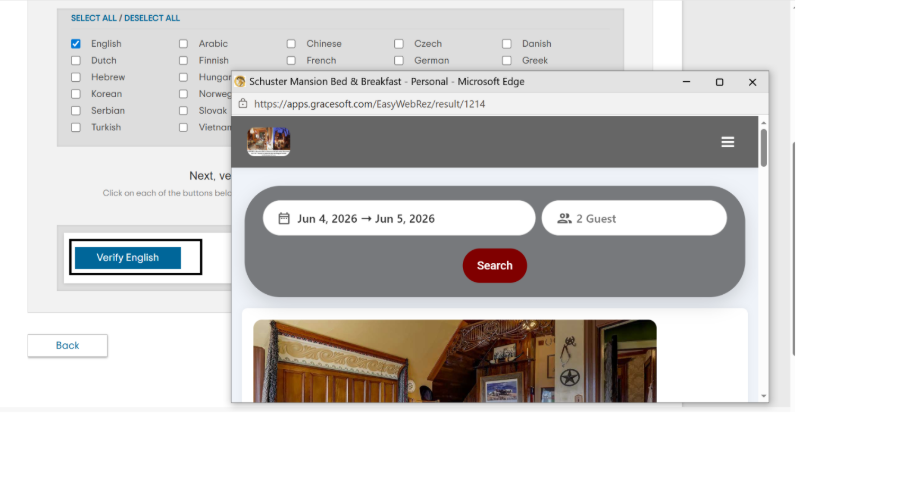
8. Booking Page Verification
- Select your preferred language (e.g., English)
- Click Verify English
- Your online booking page will open for preview
- Close the preview and click:
- Correct
- Then click Next
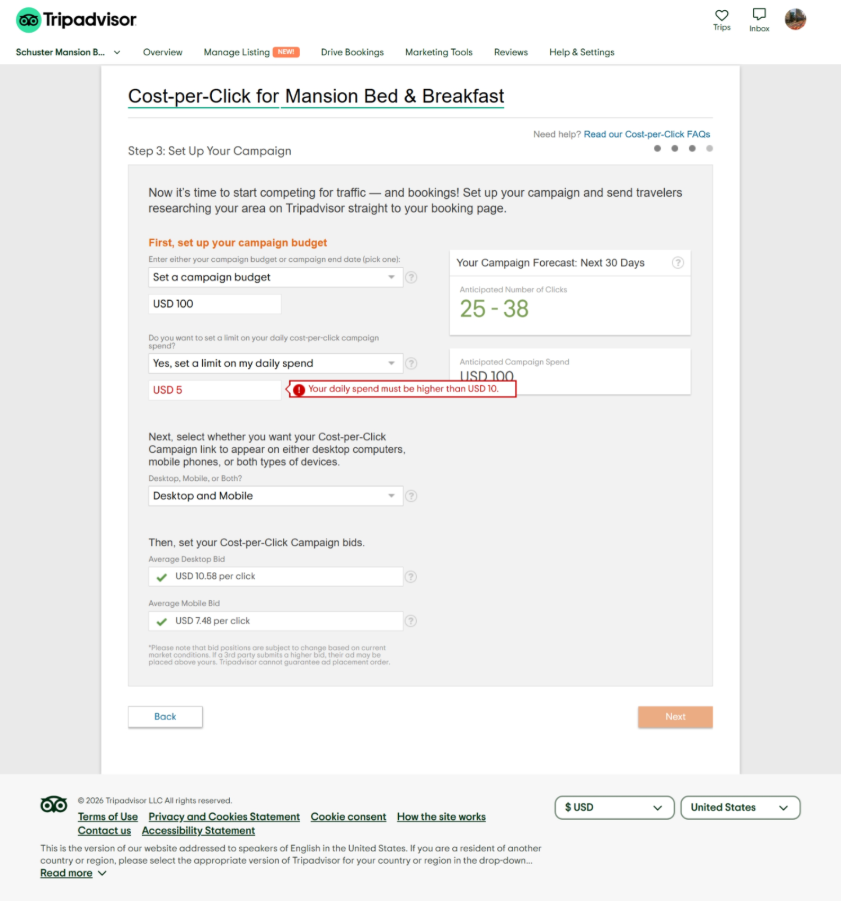
9. Set Campaign Details
- Define your campaign strategy
- Add your payment/card details
Important Notes
- Ad Positioning:
Your ad placement is determined by your bid amount and market competition. - No Guaranteed Placement:
Tripadvisor does not guarantee a fixed ad position. If another advertiser places a higher bid, their listing may appear above yours.
Was this article helpful?
That’s Great!
Thank you for your feedback
Sorry! We couldn't be helpful
Thank you for your feedback
Feedback sent
We appreciate your effort and will try to fix the article